Loading…
Guide for shop owners
Your shop on AllBabyShops, step by step
Open your shop, add your products, share your link and see who’s interested. Everything works from your phone.
Part 1
Open your shop
About ten minutes, on your phone. Best done inside your shop, so the map pin lands on the right spot.
8 steps · swipe →
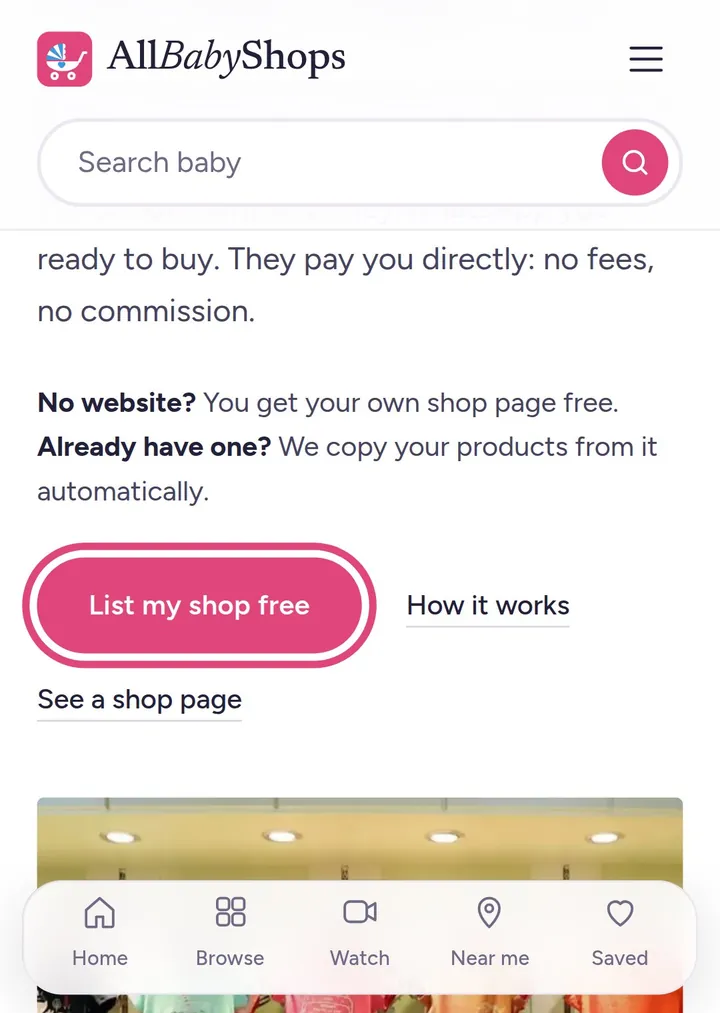
Go to allbabyshops.com/sell
Tap “List my shop free”.
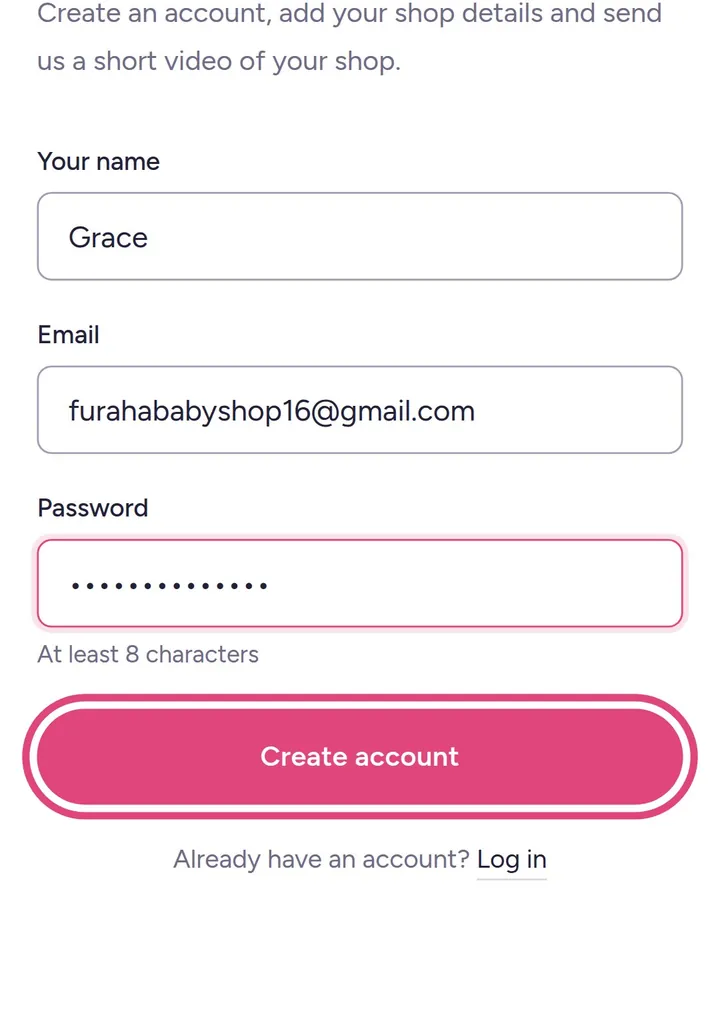
Create your account
Your name, email and a password, then tap “Create account”.
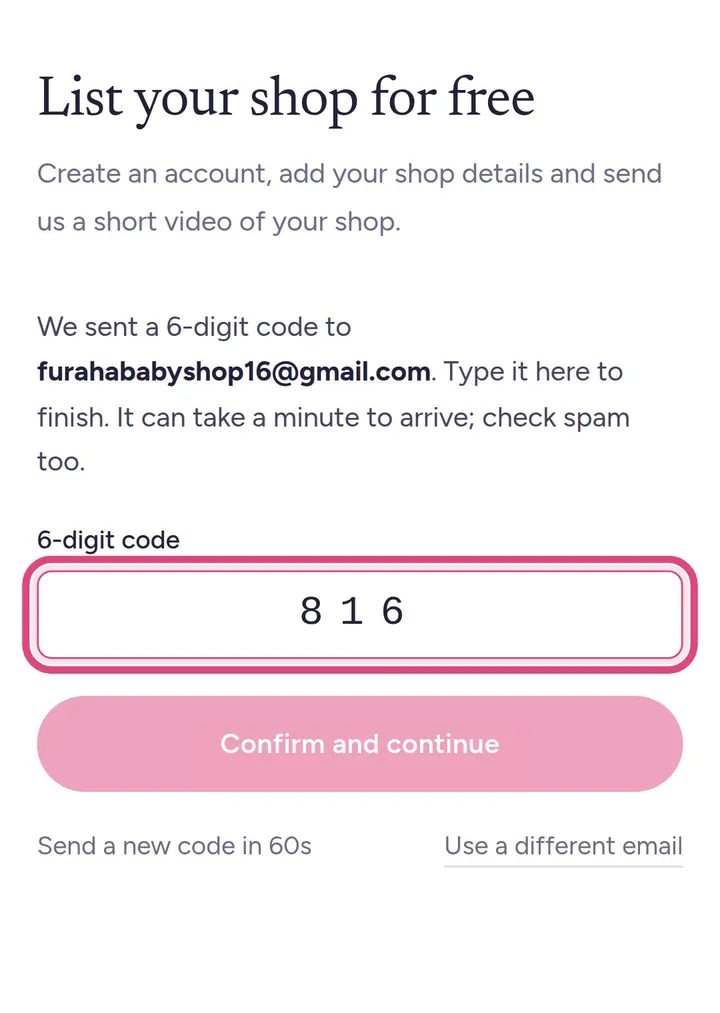
Type the code from your email
We email you a 6-digit code. Can't see it? Check spam, or tap “Send a new code”.
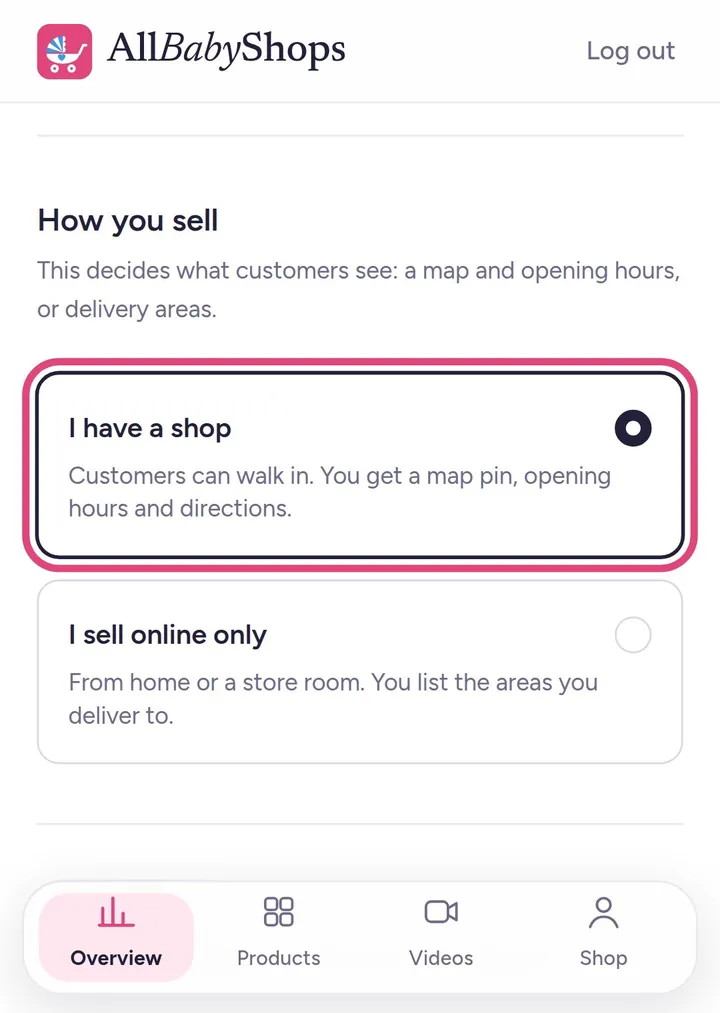
Shop or online only?
“I have a shop” if customers can walk in. “I sell online only” if you deliver from home: you'll list the areas you deliver to instead of a map pin.
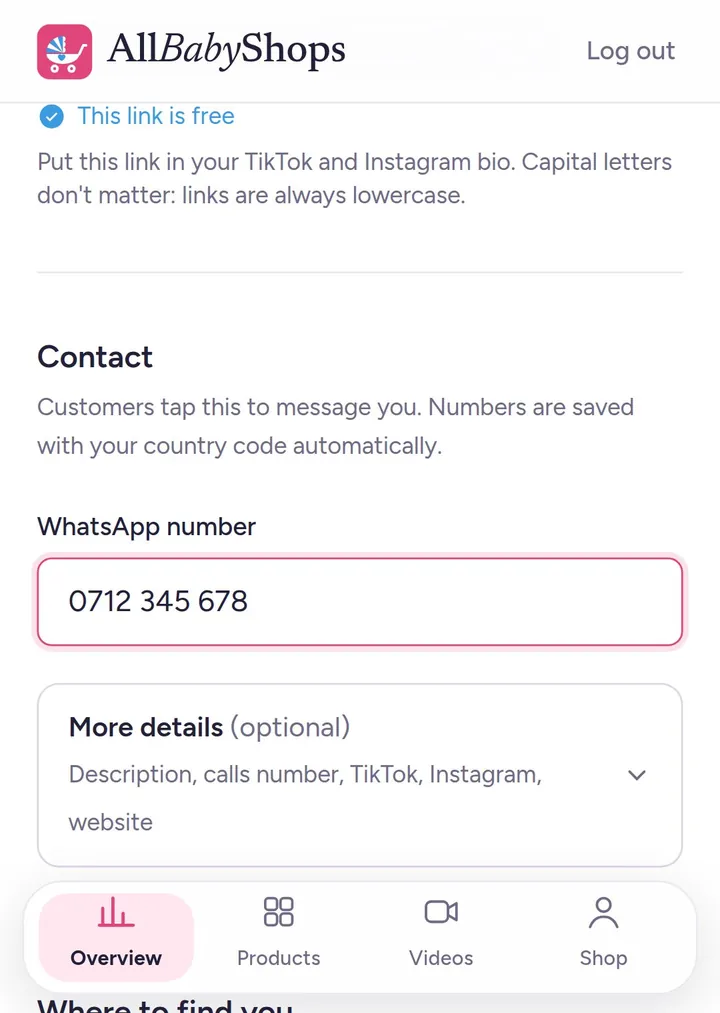
Shop name and WhatsApp number
Customers message you on this WhatsApp number, so use the one you sell from. Your shop link is made from your shop name.
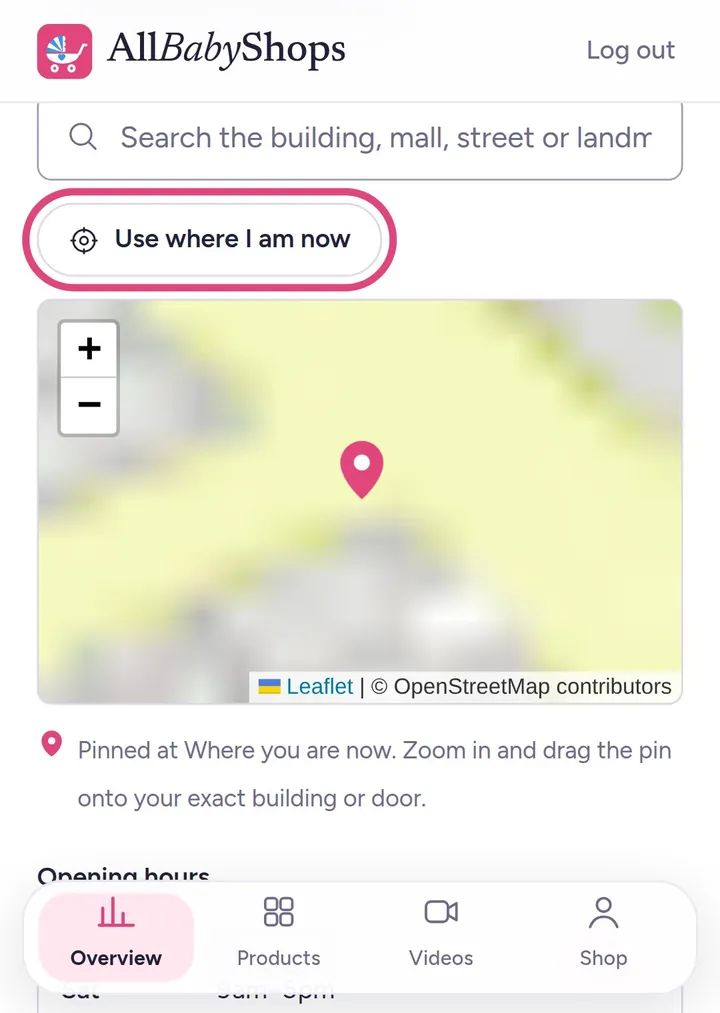
Where to find you
Add your town, area and building, then tap “Use where I am now” to pin your shop on the map. Customers get directions straight to your door.
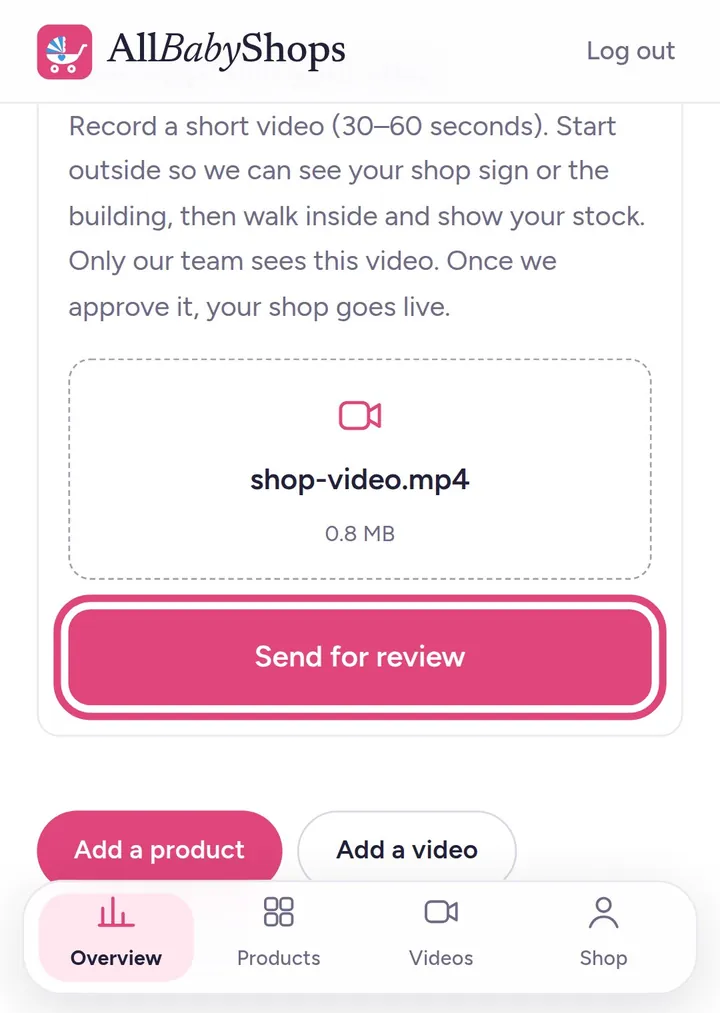
Film your shop
A one-minute video: your sign or building from outside, then walk in and show your stock. Only our team sees it. Tap “Send for review”.
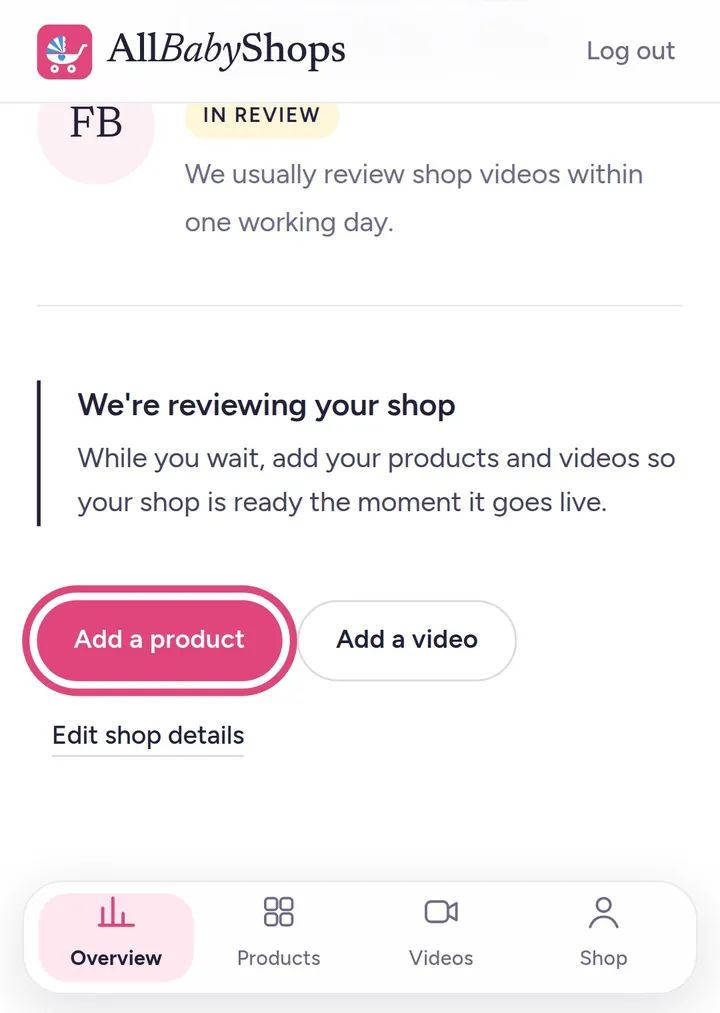
We check it
Usually within a day. Your shop then goes live with a Verified badge. While you wait, add your products: they appear the moment you're live.
Part 2
Add your products
The more products with real photos and prices, the more customers find you.
4 steps · swipe →
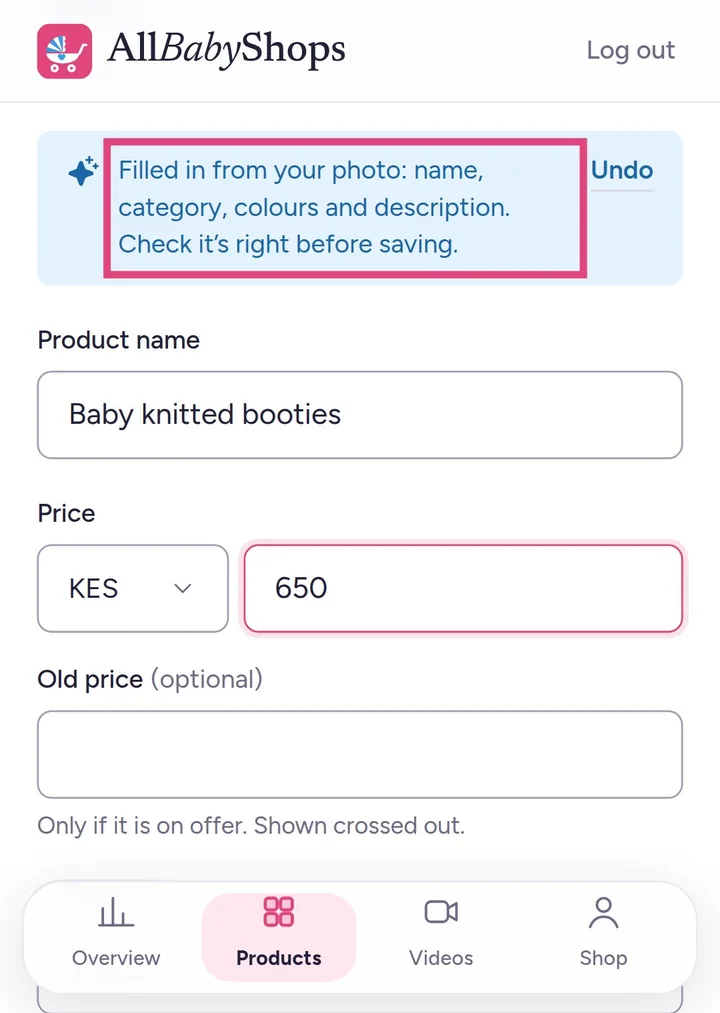
Snap a photo
Tap “Add a product” and take or choose a photo. We read it and fill in the name, category and colours for you. Add up to 8 photos and one short video.
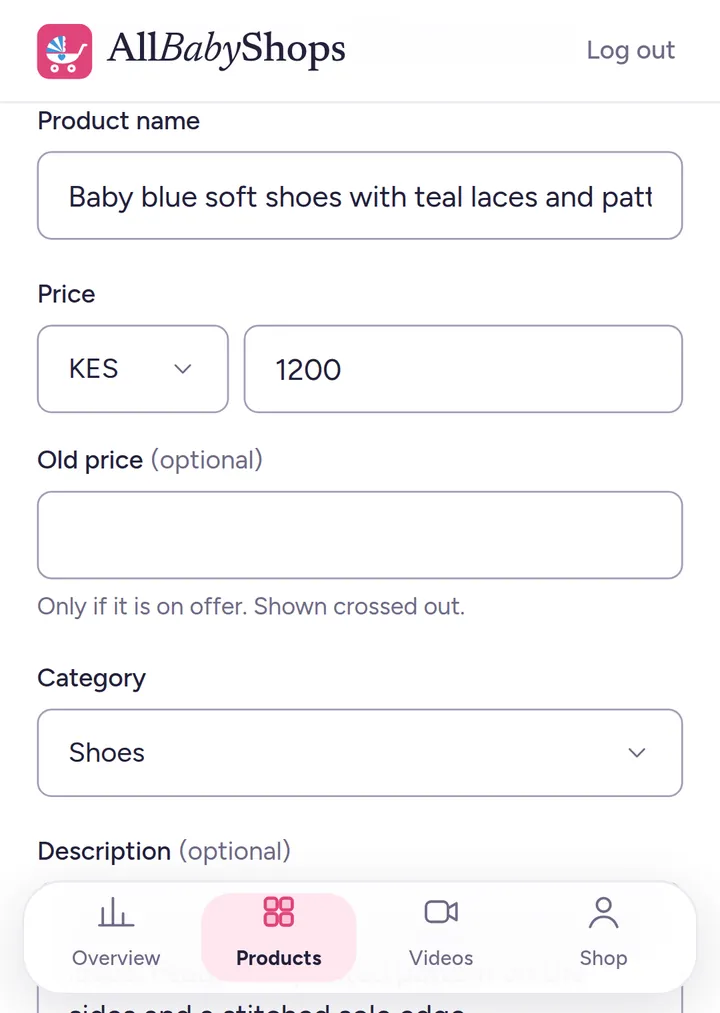
Add your price
Check the details, add your price (and an old price if it's on offer), sizes and colours, then save.
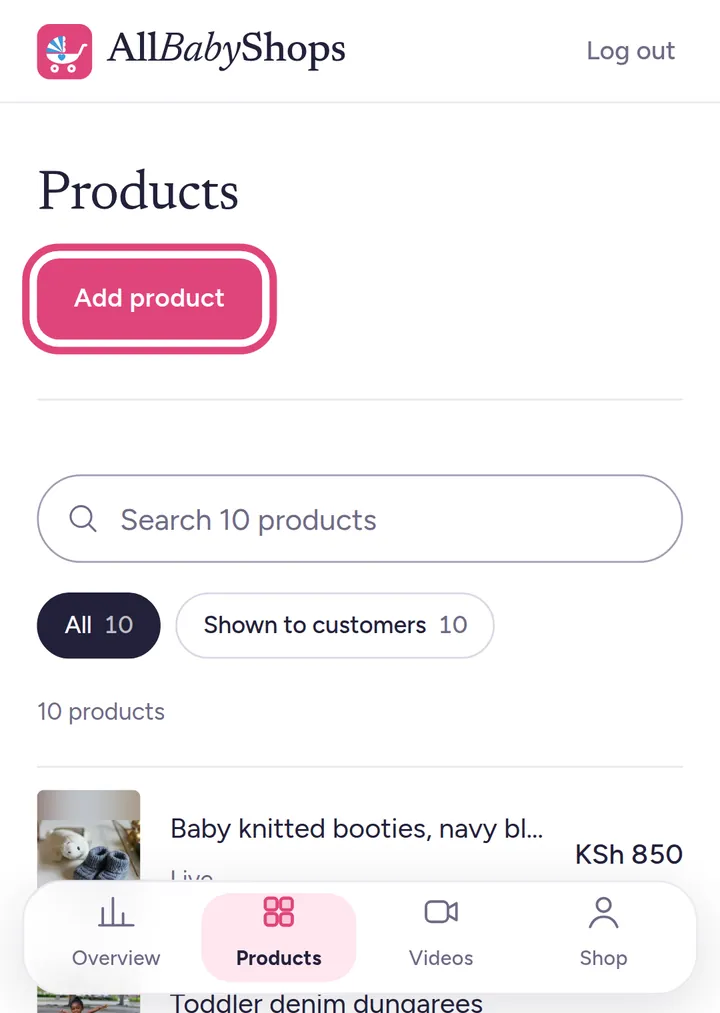
All your products in one place
Products → tap any product to change it. Search your list when it gets long.
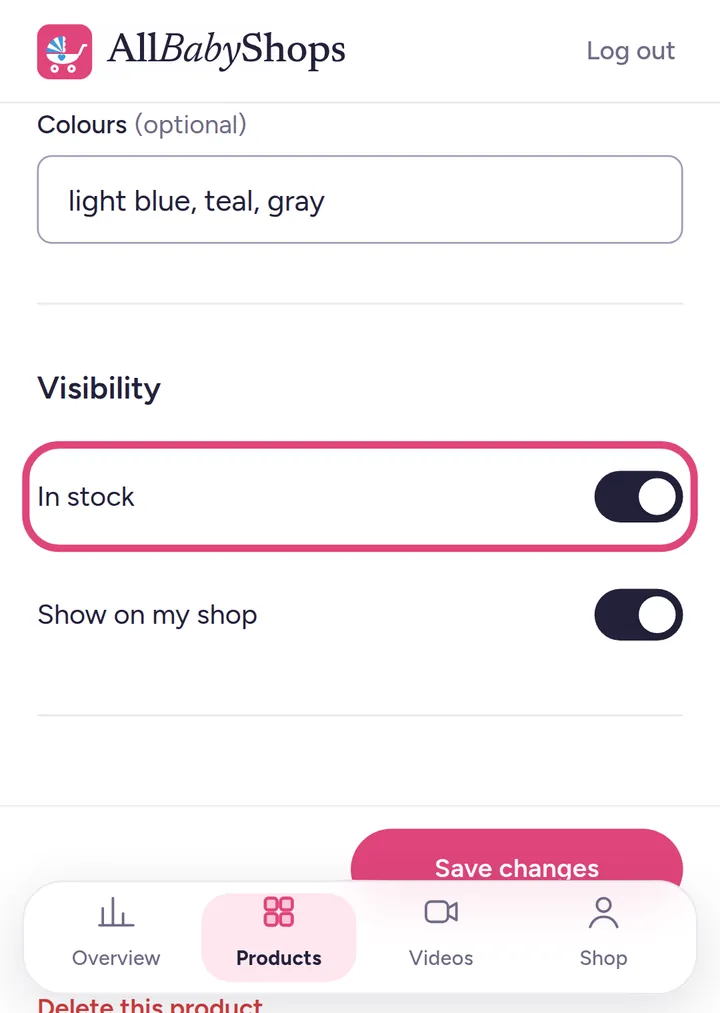
Sold out? One tap
Turn off “In stock” when it's finished, so customers don't ask for it. Turn it back on when it's back.
Part 3
Already have a website?
No typing. We copy your products, prices and photos from your website and keep them up to date, twice a day. Your website stays exactly as it is.
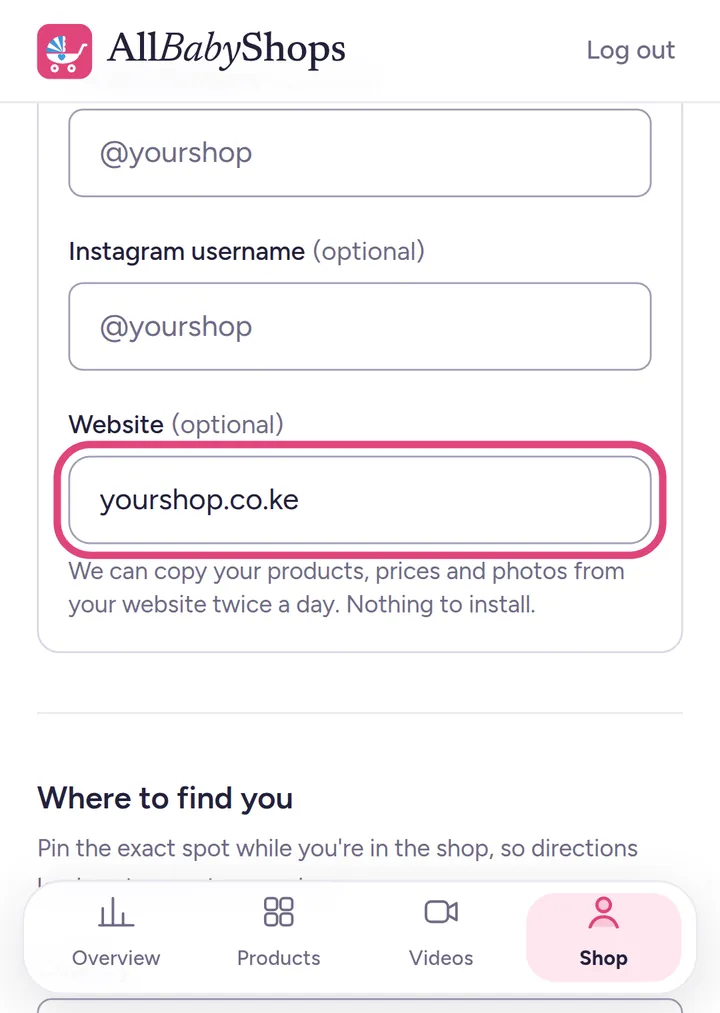
Add your website address
Shop details → More details → Website. We check it, turn on the copying, and your products appear on your shop page. Works with WooCommerce, Shopify and most shop websites.
Part 4
Make your shop page look great
Shops with a logo, a cover photo and videos get more messages.
3 steps · swipe →
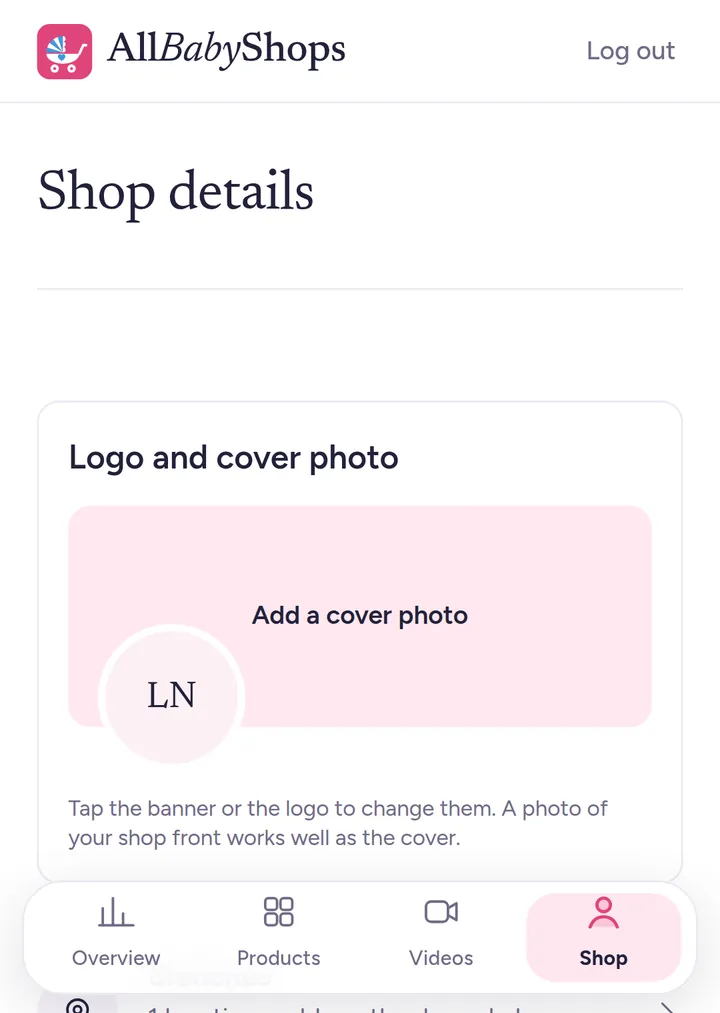
Logo and cover photo
Shop → Logo and cover photo. A photo of your shop front works well as the cover. You can also add a short description, opening hours, TikTok and Instagram.
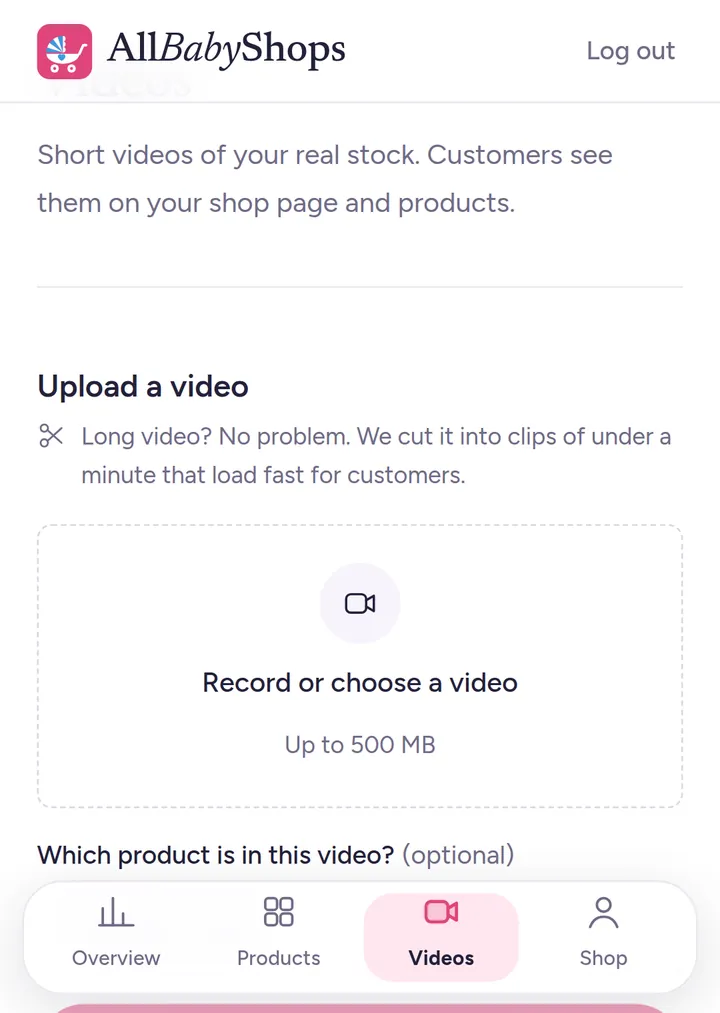
Add videos
Videos → Record or choose a video, up to 500 MB. Long videos are cut into short clips for you. Link a video to a product so it plays on that product's page.
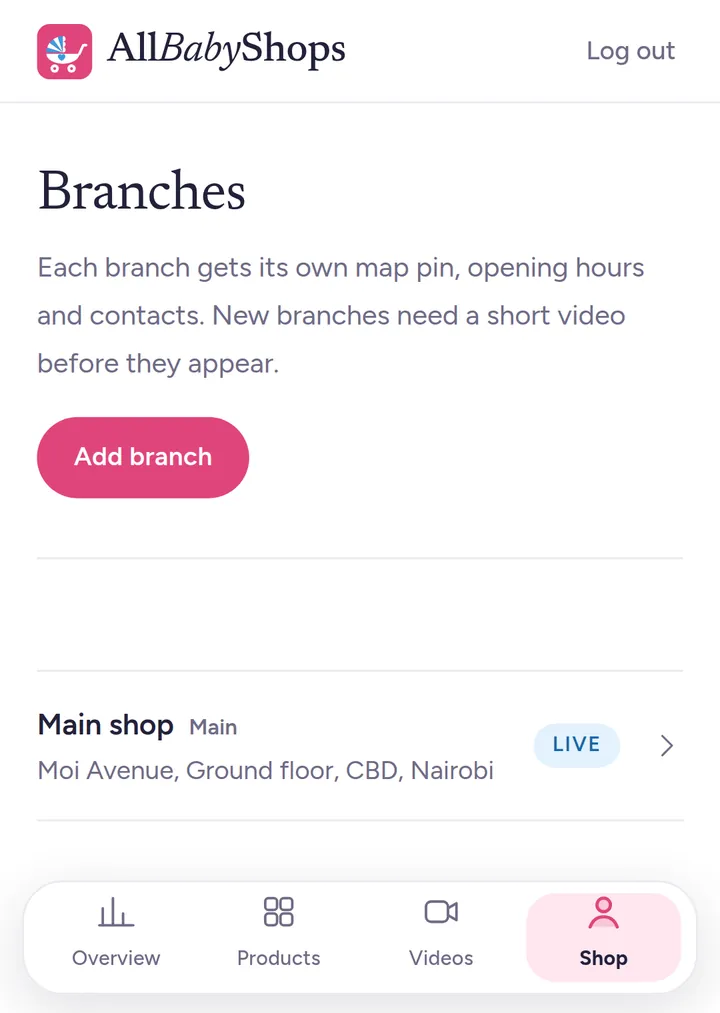
More than one branch?
Shop → Branches → Add branch. Each branch gets its own map pin, opening hours and phone number. New branches need a short video too.
Part 5
Get customers
Customers find you on AllBabyShops and Google. Your link brings in your own followers too.
4 steps · swipe →
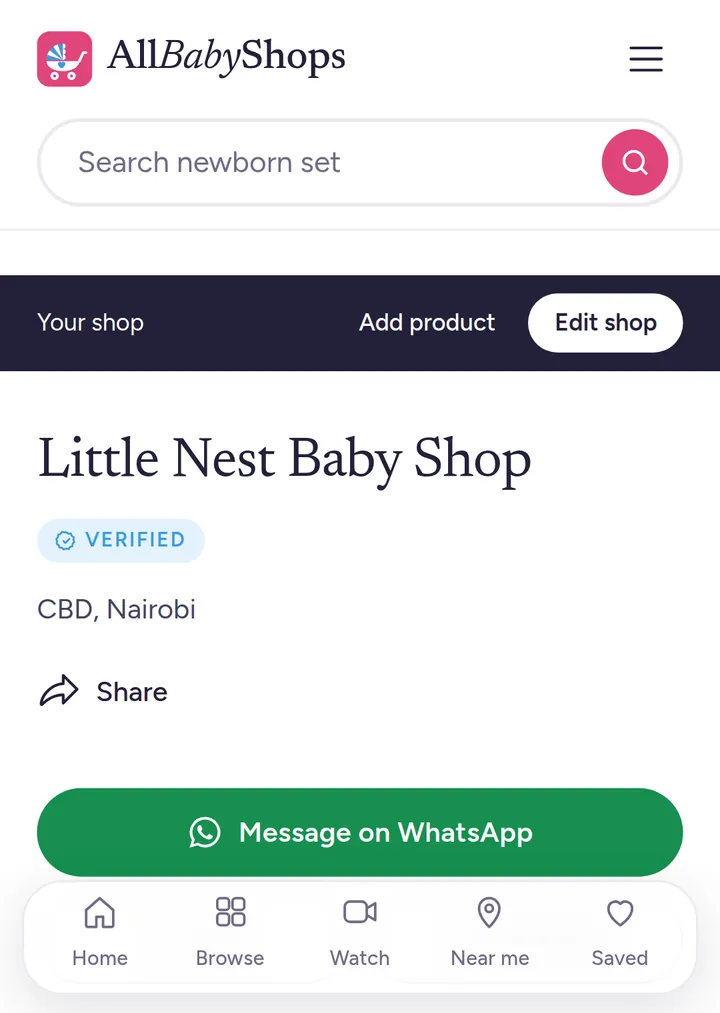
Your shop page
All your products, your location and buttons to WhatsApp, call or get directions. Customers pay you directly: we never touch money.
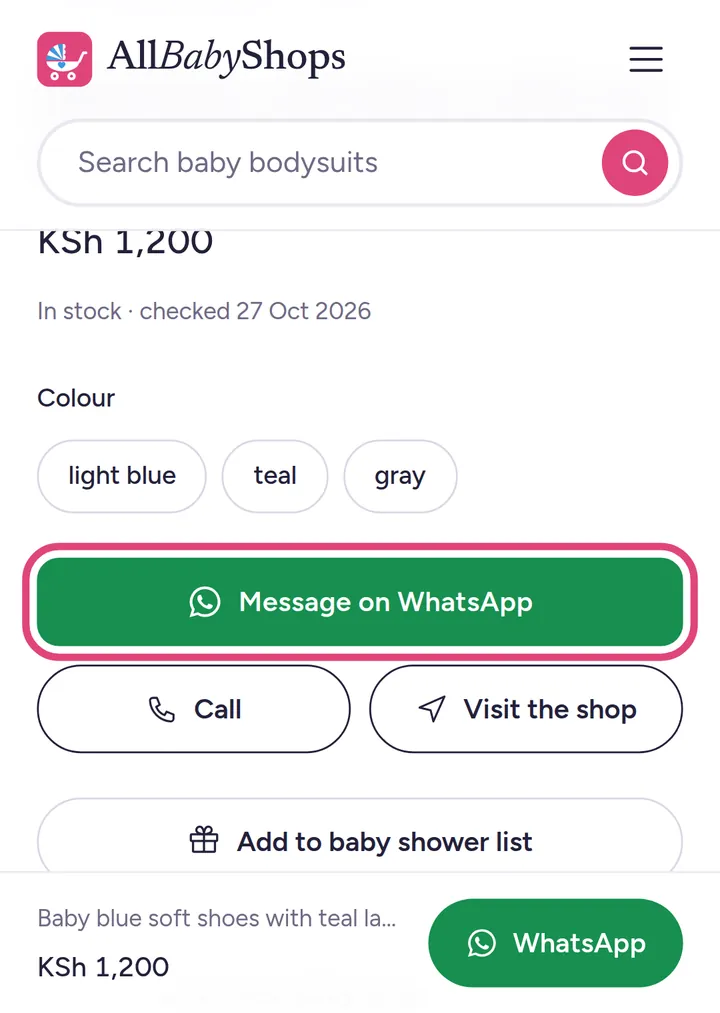
Every product has its own page
With photos, price, sizes and a WhatsApp button. The message tells you which product they want and where they saw it.
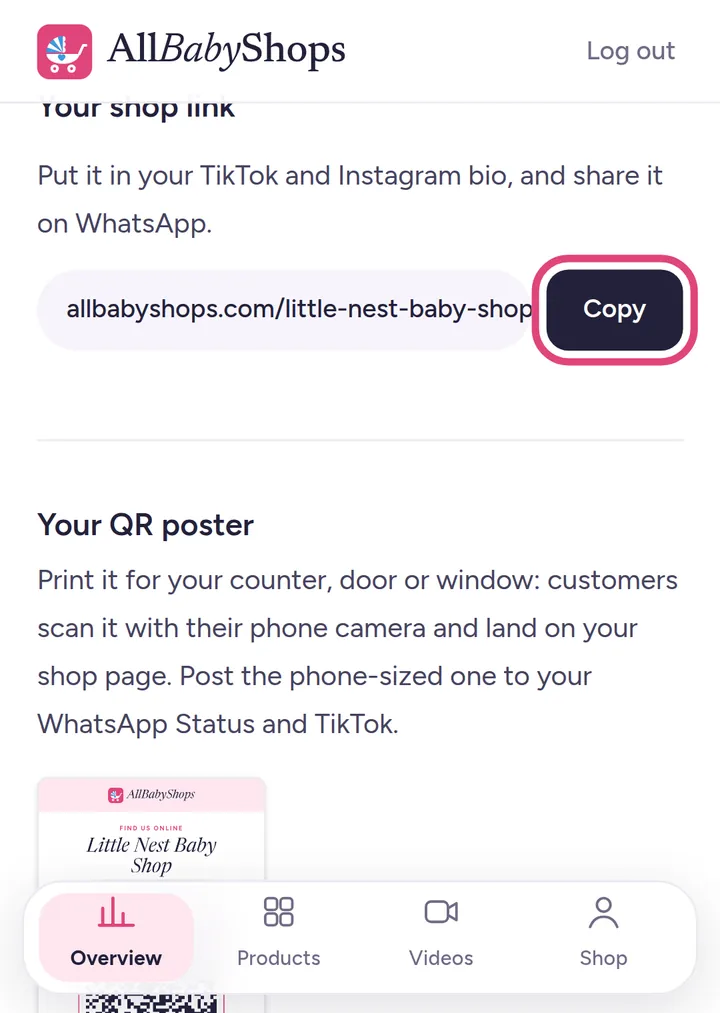
Share your shop link
Overview → Your shop link → Copy. Put it in your TikTok and Instagram bio, your WhatsApp status and under your videos. Instead of 20 photos, send one link.
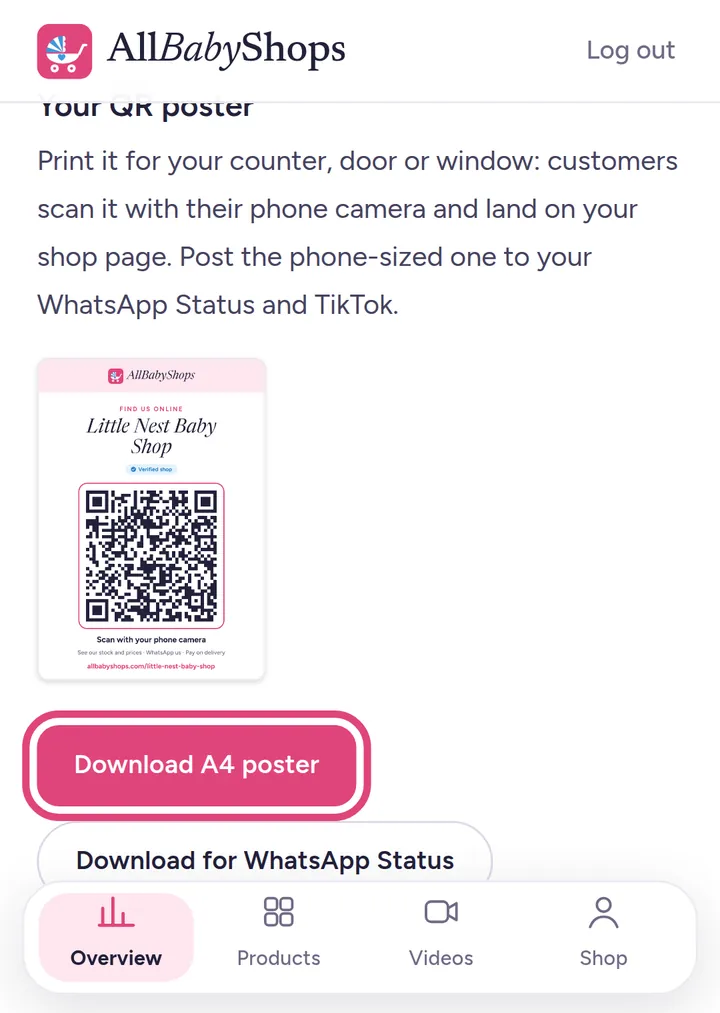
Print your QR poster
Download the A4 poster for your counter or door, and the phone-size one for WhatsApp Status. One scan opens your shop.
Part 6
See what's working
Your Overview counts real shoppers only: not you, not robots.
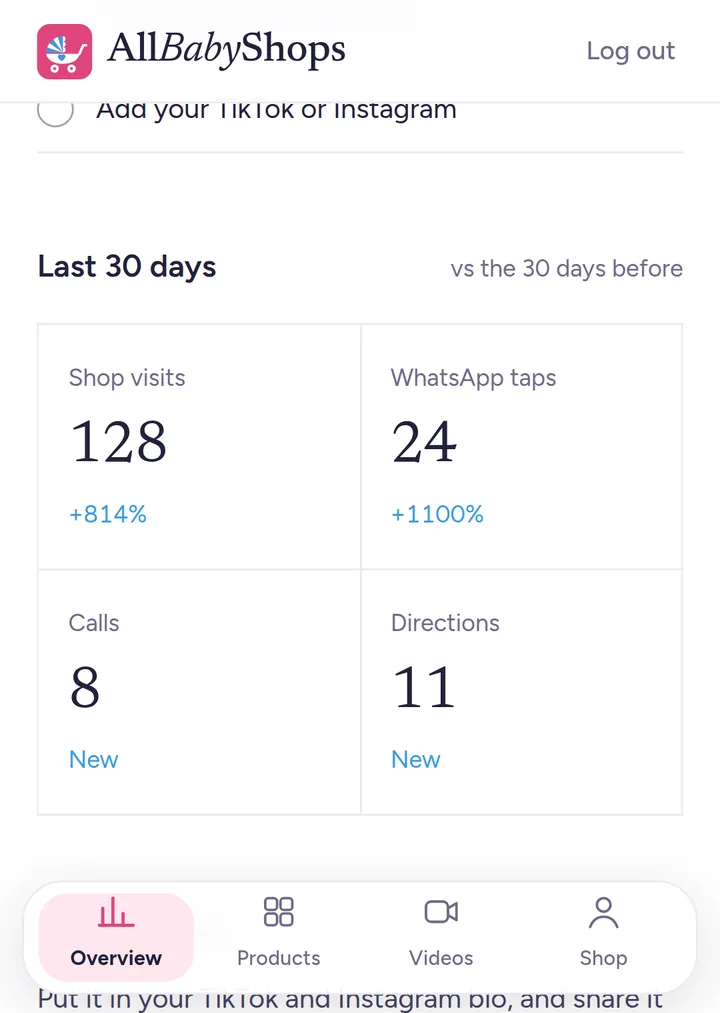
Visits and taps
How many people visited your shop, and how many tapped WhatsApp, called or asked for directions in the last 30 days, compared with the 30 days before. (Example numbers shown.)
Tips
Get more customers
Real photos sell
Take photos in good daylight, on a plain background. Your own photos beat pictures from the internet.
Always show the price
Products with a price get far more messages than “DM for price”.
Reply fast on WhatsApp
Customers usually message a few shops. The first to answer often gets the sale.
Keep stock up to date
Mark items sold out, and add new stock as it arrives: new products show up first.
Film a short video
A 20-second walk past your shelves builds more trust than any description.
Share your link everywhere
TikTok bio, Instagram bio, WhatsApp status, receipts and your QR poster on the counter.
Questions
Good to know
What does it cost?
Nothing. Your shop page, products, videos and the marketing are free. AllBabyShops never handles payments, so we never take a cut of your sales.
How do customers pay?
Directly to you, the way you already work: M-Pesa, cash on delivery or at your shop. There's no payment button and no money passes through us.
How long until my shop is live?
We check your shop video usually within a day. You can add products while you wait.
Who sees my shop video?
Only our team. It's used to confirm your shop is real, and then you get the Verified badge.
Can I change things later?
Yes, any time from your phone: products, prices, photos, opening hours, branches, your logo and cover photo.
I sell from home. Can I join?
Yes. Choose “I sell online only” and list the areas you deliver to. Film your stock instead of a shop front.
Ready, or need a hand?
Open your shop now, or message us and a real person will help you set it up.
Already have a shop? Go to your shop dashboard